Text Messaging
Currently this feature only works when texting to phone numbers with 1 as the country code dialing prefix.
Starting with version 6.52 you can send text messages to customers from within T-Six. This page shows how to setup the SMS Gateway Services side. For setting this up in T-Six See Set it up in T-Six
T-Six uses what is called "Email to SMS" along with a third party SMS gateway Service. This feature is designed to be used with BulkSMS but other SMS gateway Services with similar Email to SMS solutions should be able to be used. Please note, there is a fee to use SMS Gateway Services but they are usually very cheap. To see the current pricing for BulSMS click here. The lowest SMS credit block works out to be $0.04 a text message.
To start you must first setup at least one email account in T-Six. See Setting Up Email for instructions on how to do this.
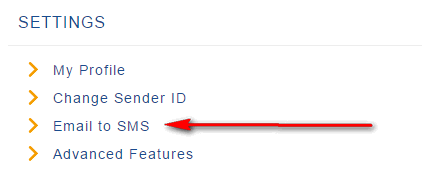
Next you must subscribe to a SMS gateway Service such as BulkSMS. Once you have setup an account with BulkSMS you will need to configure your email settings and add an email address and password.
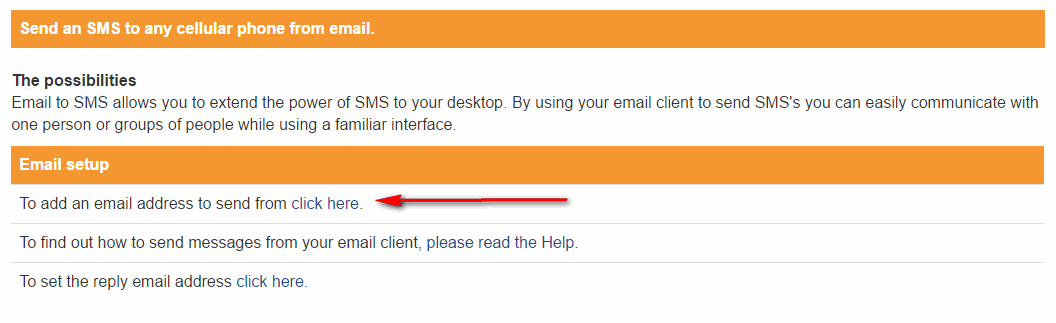
On the next Screen, Click to add an email address to send from.
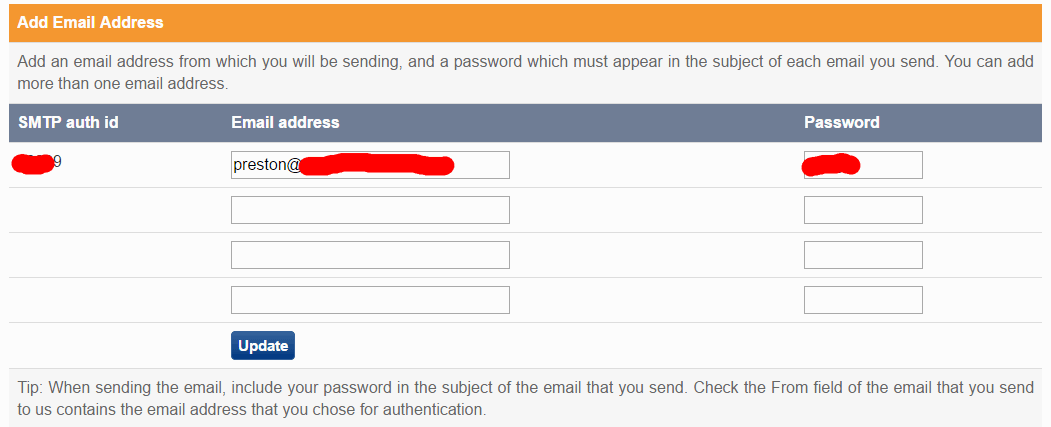
Now add an email address that you want to send from and give it a password. The password is only used for the SMS Gateway and should not be your email accounts actual password.
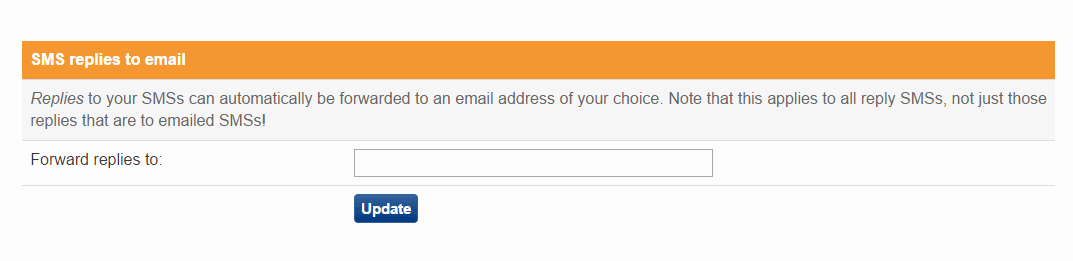
If a customer replies to a text you sent from T-Six and you have setup a reply email address in BulkSMS, it will go to to that email address. Then if you reply to that email, it will be sent as a text message back to the customer.