Setting up Users
This requires Administrator Access Level.
From the Main Menu, clcik the Users Button

This will open the User Setup screen.
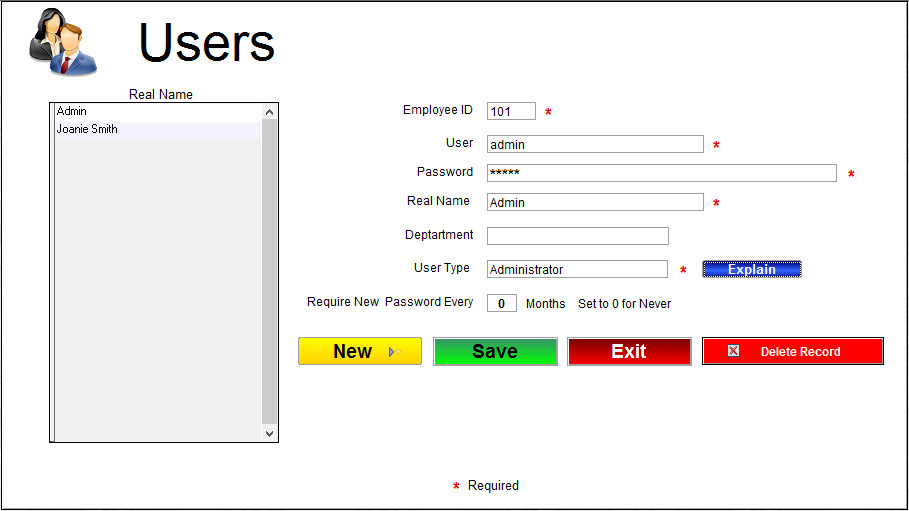
It is suggested that if you are going to use T-Six login security that you at least change the password for user Admin.
Click the "New" button to add a new user.
The Employee ID field is required and can be any number you want but must be unique and not used for any other user.
The User field is for the username they will use when logging in. It must be unique and not used by any other user.
The Real Name field is used by T-Six when marking some records so it is easy for you to know who last edited it.
The Department field is optional
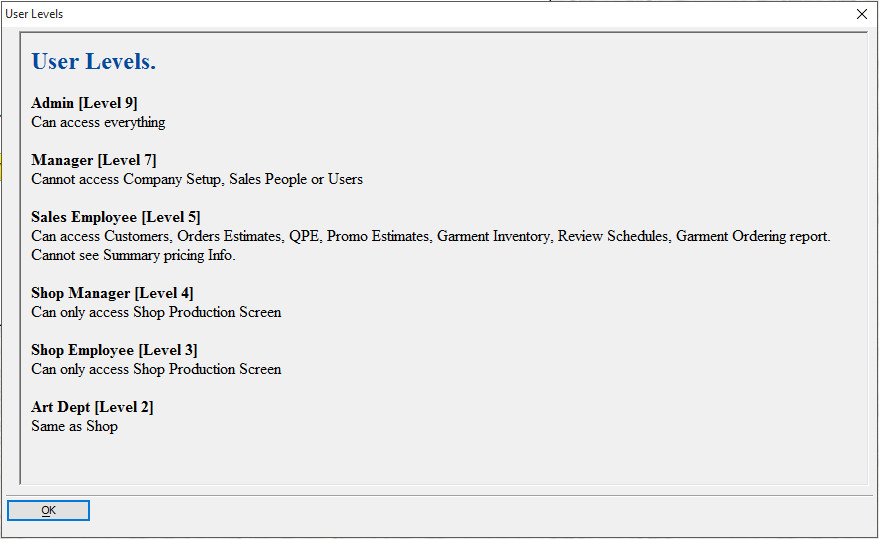
The User Type is what sets the access level of the user. Clcik in the box and you will get a dropdown to select from.
You Can click the "Explain" button for an explination of current access levels.
Click Save when you are done.