Set it up in T-Six
Currently this feature only works when texting to phone numbers with 1 as the country code dialing prefix.
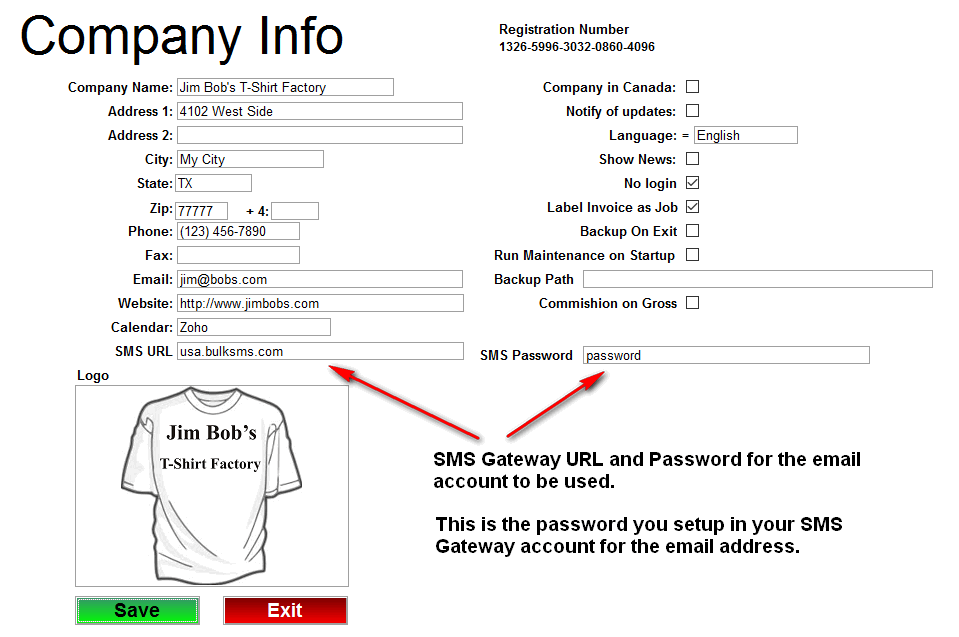
First you need to setup your SMS Gateway URL and password for the email address that will be used. This is not the password for your email account but the password you setup in the gateway for it.
You must setup at least 1 email profile in T-Six before you can use this feature. Click here for instructions.
The "From" email address must match a email address you setup in BlukSMS.
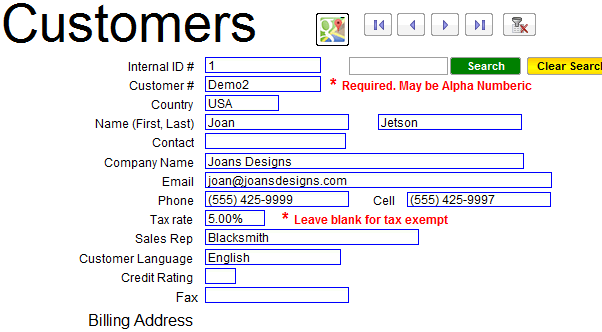
Next in the customer database, enter the customers cell phone number. Just enter it staight without the country dialing code. In the example below the cell phone number was entered as 5554259997 even though it displays as (555) 425-9997
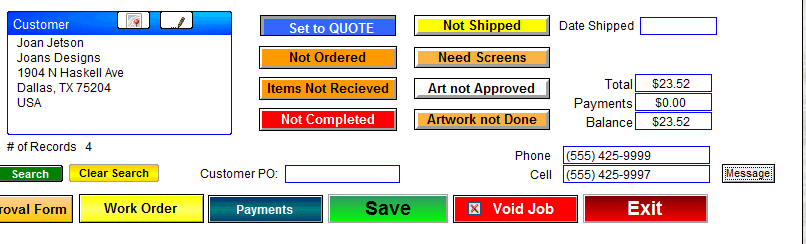
Now when you are in the Jobs/Invoice screen you will see the customers cell phone number. If you have setup T-Six to use your SMS Gateway AND the customer has a cell phone number, you will see the little grey "Message" button. Click that button to open up the pop-up to send the text message.
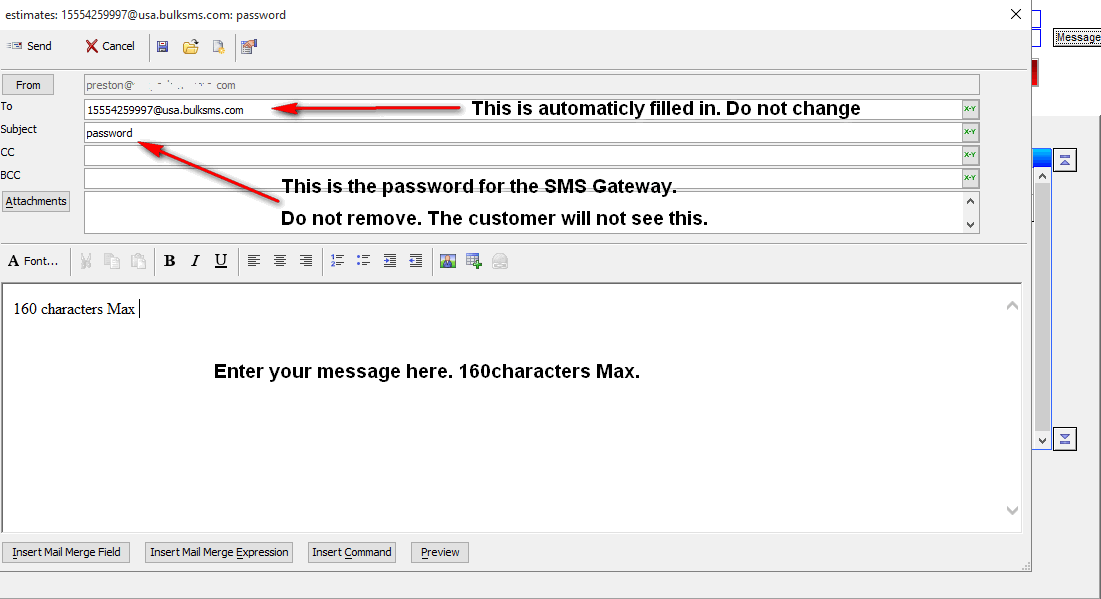
Next type in your message and click "Send"
You can verify if a text message was successfully sent by logging into your SMS Gateway account and clicking "View" under "Sent Messages"