Installing SanMar Images
Sanmar's terms do not allow us to include the product images within the T-Five installer.
The T-Five installer creates the C:\SCS\Sanmar\Product_images directory for you and installs the no-image.jpg file.
You can install all the product images yourself by following the instructions below. If you have any problems you can contact support via our helpdesk
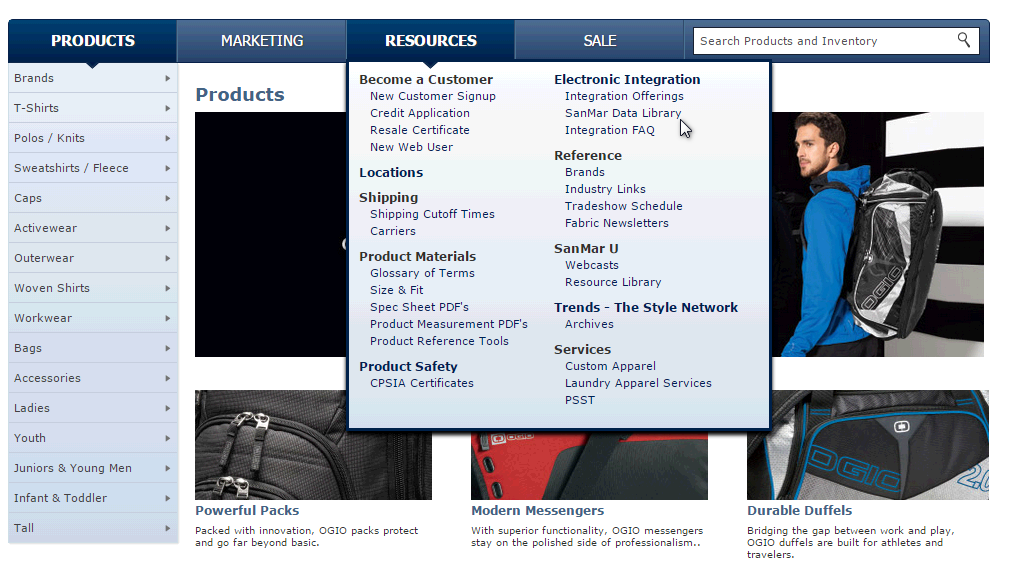
Go to the Sanmar website and log in. Go to Resources and click "Sanmar Data Library"
This will open the following screen
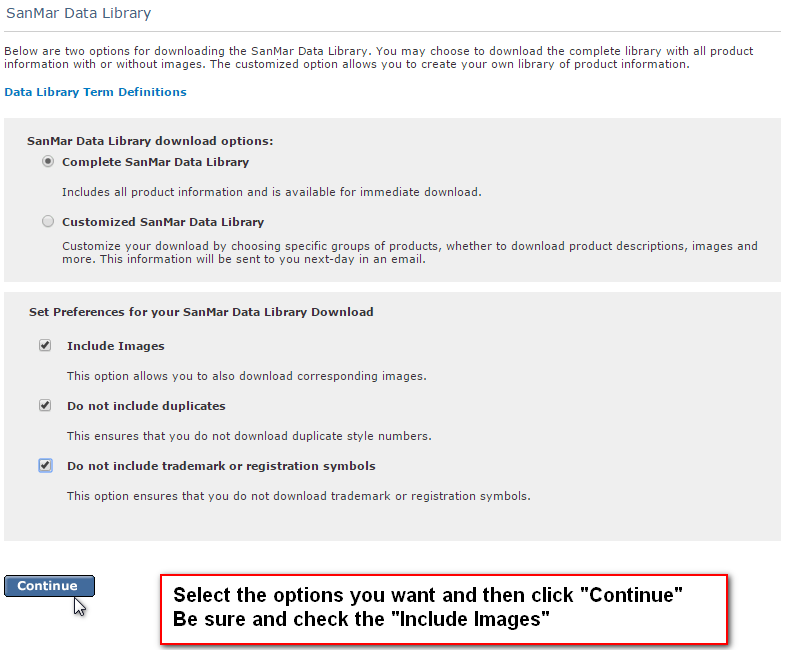
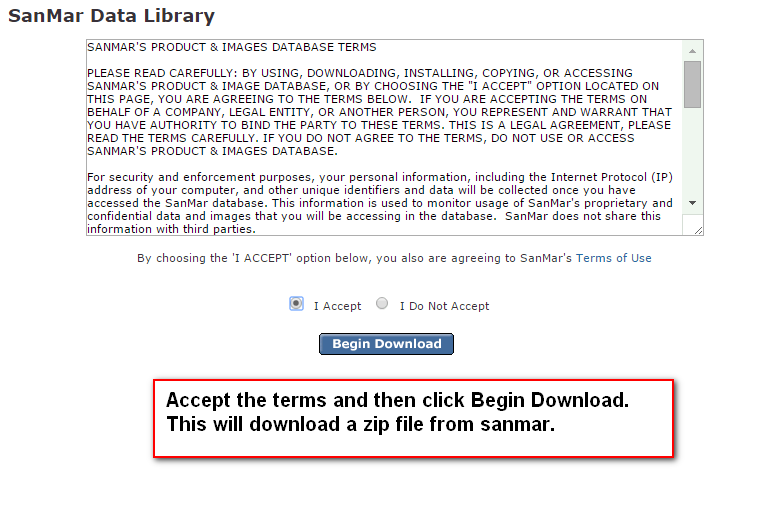
Accept the terms and then download the file to your computer.
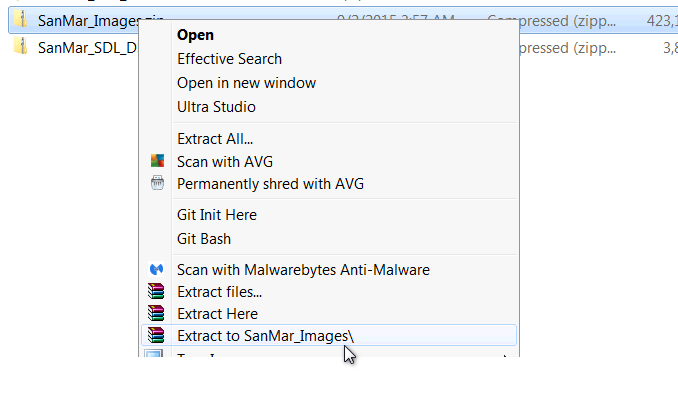
Extract the SanMar_SDL_DSI_2.Zip file. If you do not have a way to extract the files you can download Stuffit Expander or WinZip for free.
Then extract the SanMar_Images.zip file.
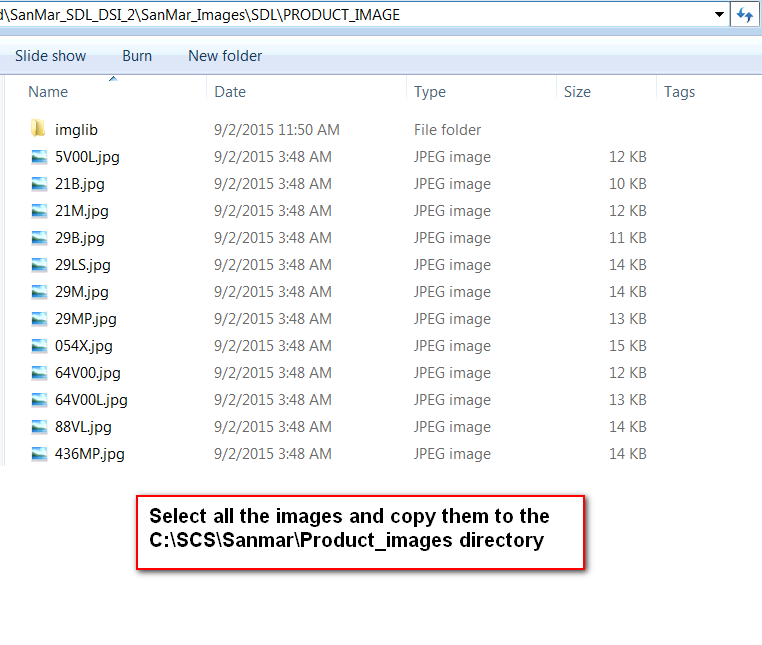
Navigate to the extracted \SanMar_SDL_DSI_2\SanMar_Images\SDL\PRODUCT_IMAGE directory and copy all the image file to the C:\SCS\Sanmar\Product_images directory. You may have to create the Sanmar\Product_images directory in the C:\SCS folder if it does not exist.
The images will now be available in the T-Five product catalog.