
Hotmail
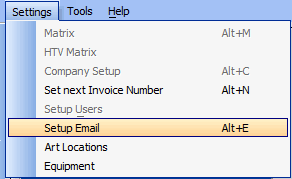
On the top menu, Click Settings and then select "Setup Email"
You should now see this.
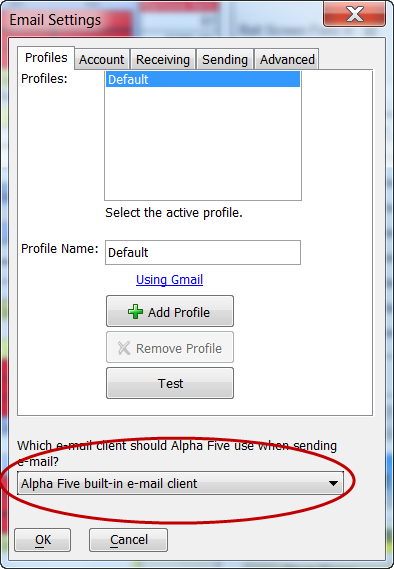
Set the email to use the "Alpha 5 builtin email client".
For Sending:
-
SMTP server address: smtp.live.com
-
User name: Your complete hotmail email address ("me@hotmail.com" for instance)
-
Password: Your Hotmail password
-
SMTP port: 587
-
Use Secure Connection: TLS
-
SMTP Authentication: "Use same settings as my incoming server".
For Receiving:
Use your online hotmail reader.
